Event Planning · 8 min read
Why Wireless Mics Cut Out: UHF vs 2.4 GHz for Planners
Discover why wireless microphones drop signal at crowded events. Learn how guest Wi-Fi clashes with 2.4 GHz and why professional UHF systems are required for clean audio.
The short version
Wireless microphones cut out at crowded events because consumer-grade 2.4 GHz systems share the same frequency band as guest smartphones, Wi-Fi routers, and Bluetooth devices. Professional events require UHF (Ultra High Frequency) systems with active coordinate scanning to ensure uninterrupted speeches and live musical performances.
Short answer: Wireless microphones cut out at crowded events because cheap consumer systems run on the 2.4 GHz frequency band. This is the exact same frequency used by guest smartphones, smartwatches, and venue Wi-Fi routers. To guarantee uninterrupted audio, event planners must require professional-grade UHF (Ultra High Frequency) systems that are coordinated and scanned on-site.
Every event planner has experienced the sudden, heart-stopping moment when a wireless microphone cuts out during an important toast or key corporate presentation. The sound system worked perfectly during the afternoon soundcheck. The room was empty, the airwaves were clear, and the audio engineer gave a thumbs-up. Then, three hundred guests filled the room, and the lead speaker's voice began to pop, hiss, and drop out completely.
This failure is rarely a mechanical defect in the microphone. It is a predictable consequence of physics and radio frequency (RF) congestion. Understanding the technical differences between 2.4 GHz and UHF wireless systems allows planners to prevent these technical disasters before the guest list is finalized.
The Physics of Dropouts: Why Soundcheck Lies to You
During an afternoon soundcheck, a venue is an RF oasis. The airwaves are quiet, and the room is physically open. When guests arrive, the entire physical and electromagnetic environment changes instantly.
There are two primary reasons why a wireless microphone that worked at 3:00 PM fails at 8:00 PM:
- Human RF Absorption: The human body is composed of roughly 70 percent water. Water acts as a highly effective barrier to radio waves. When a ballroom fills with hundreds of guests, it creates a massive physical barrier between the microphone transmitter on stage and the receiver at the mixing console. High-frequency signals struggle to penetrate this dense wall of human tissue.
- The Smartphone Influx: Every smartphone carried by your guests is actively searching for signal. Even if guests are not actively using their phones, the devices constantly ping local Wi-Fi networks and search for Bluetooth connections. This creates a dense, invisible cloud of RF noise that overwhelms low-power wireless transmitters.
When a transmitter's signal cannot rise above this rising noise floor, the receiver loses track of the signal. This is called a dropout, and it manifests as silence, static, or loud popping noises over your venue PA system.
Understanding the 2.4 GHz Band: The Consumer Playground
To understand why wireless microphones cut out, you must understand the difference between frequency bands. The 2.4 GHz band is an unlicensed portion of the wireless spectrum designated globally for industrial, scientific, and medical (ISM) uses.
Because this band is free to use without FCC licensing or local coordination, it has become the default highway for consumer electronics. The following devices share the 2.4 GHz spectrum at your event:
- Guest smartphones and tablets
- Venue Wi-Fi access points and routers
- Wireless point-of-sale (POS) credit card terminals
- Bluetooth smartwatches and wireless earbuds
- Wireless presentation clickers and slide advancers
- Microwave ovens in the venue kitchen
When you use a 2.4 GHz wireless microphone system, the transmitter is competing directly with hundreds of active devices in the same room. A typical 2.4 GHz microphone transmitter operates at a very low power output, usually around 10 milliwatts. A single guest's smartphone trying to upload a video can easily overpower the microphone signal.
Furthermore, 2.4 GHz signals have short wavelengths (approximately 4.9 inches). These short waves struggle to bend around obstacles and are easily absorbed by walls, pillars, and crowds of people. If your speaker walks into the crowd with a 2.4 GHz microphone, the physical barrier of the guests will almost certainly block the signal and cause a dropout.
The UHF Advantage: Professional-Grade Clear Airwaves
Ultra High Frequency (UHF) systems operate in a completely different spectrum, typically between 470 MHz and 608 MHz in the United States. This portion of the spectrum is strictly regulated and reserved for television broadcasts, public safety, and professional wireless audio equipment.
UHF systems offer several critical advantages for high-stakes corporate events and weddings:
- Longer Wavelengths: A UHF signal at 500 MHz has a wavelength of roughly 24 inches. These longer waves easily bend around human bodies and physical obstructions, drastically reducing the risk of dropouts caused by crowd density.
- Lower RF Congestion: The UHF band is completely free from Bluetooth, guest Wi-Fi, and consumer smartphone traffic. The only interference sources are local television broadcast towers, which are stationary and easily identified before the event begins.
- Higher Transmission Power: Professional UHF systems can transmit at higher power levels (up to 30 or 50 milliwatts, depending on local regulations). This allows the signal to cut through local atmospheric noise with ease.
- Agile Frequency Tuning: While consumer 2.4 GHz mics are locked into a few narrow channels, professional UHF systems can tune to hundreds of precise frequencies, allowing technicians to find clean, open spaces in the local RF spectrum.
Real-Time Coordination for Hybrid Acts: The Mixmode Wireless Setup
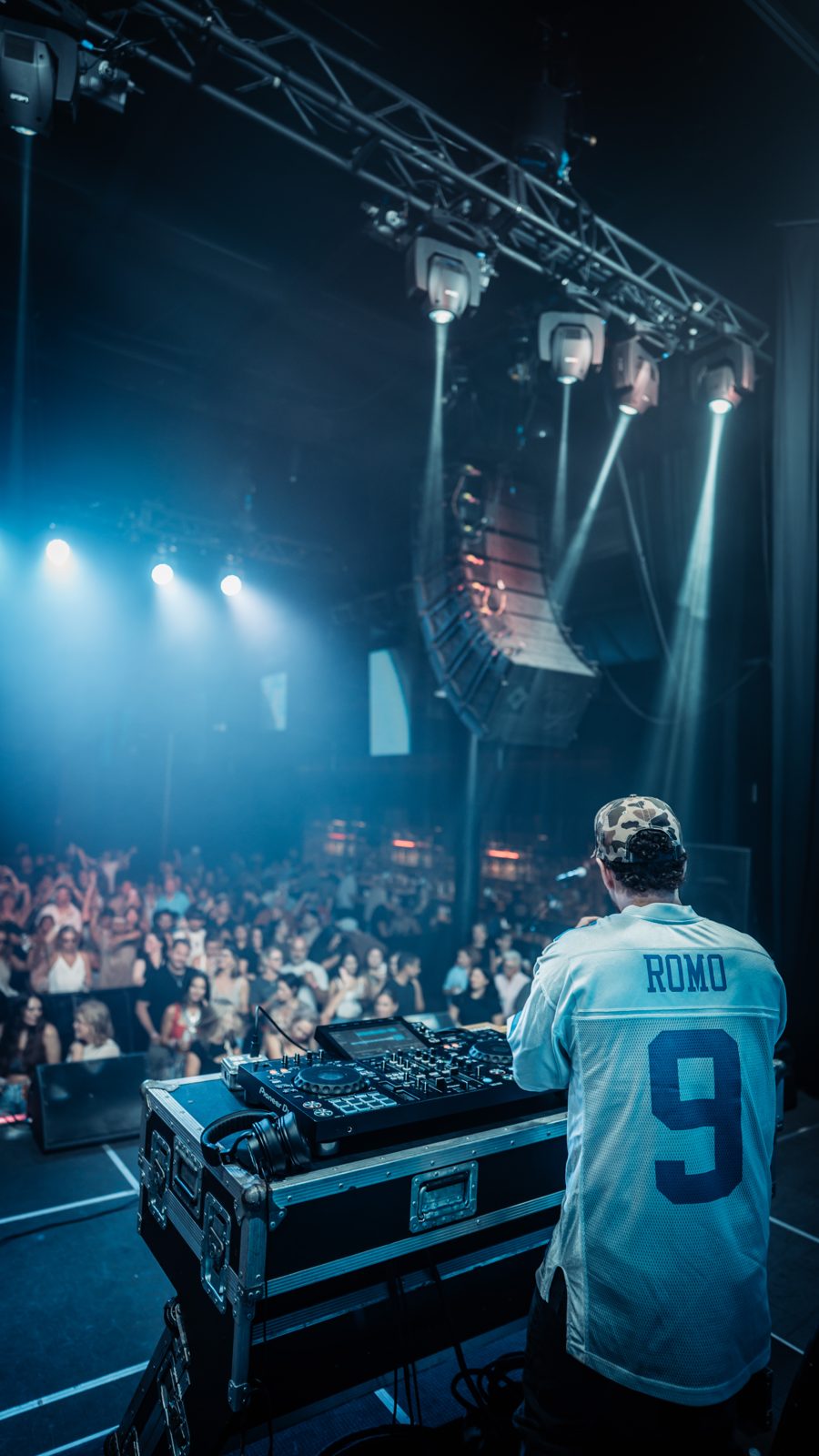
Managing the wireless spectrum is even more critical when hosting hybrid musical acts. For example, the project Mixmode, which features country EDM DJ Jordan Miller alongside live electric guitarist Kristian Cruz, relies on a highly coordinated wireless environment.
[Electric Guitar] ---> [UHF Transmitter (Bodypack)]
                                 |
                                 v (Wireless UHF Link)
[DJ Deck / Audio Rig] <--- [UHF Receiver (Rackmounted)]
In this performance setup, the electric guitar signal is transmitted wirelessly from Kristian Cruz's instrument directly to the receiver rack on stage, allowing him to move freely through the crowd. If this system used consumer-grade 2.4 GHz transmitters, the guitar would cut out the moment he stepped away from the DJ booth and entered the crowd.
To prevent this, the performance uses dedicated UHF wireless channels for both the guitar transmitter and the in-ear monitoring (IEM) systems. This ensures that the high-energy fusion of DJ tracks and live guitar riffs remains perfectly synchronized and completely free of dropouts, even in packed festival environments or high-density corporate galas. This technical precision is essential for maintaining clean stage lines, as detailed in our guide to live DJ and guitarist stage setups.
Step-by-Step Wireless Coordination for Event Planners
As a planner, you do not need to operate the wireless equipment yourself, but you must build time and expectations into your timeline to ensure your AV provider manages the spectrum correctly. Discussing these technical details during your technical advance call prevents mid-show disasters.
Here is a professional wireless coordination schedule to implement for high-stakes events:
1. The Pre-Event RF Sweep (T-minus 4 Hours)
The AV team should deploy directional passive paddle antennas on high stands. These antennas must have a direct line of sight to where the speakers or performers will stand. The antennas must be placed high enough to look over the heads of the crowd once the room fills up.
2. The Local Spectrum Scan (T-minus 2 Hours)
Using specialized software like Shure Wireless Workbench or Sennheiser Control Cockpit, the audio lead must perform a hardware scan of the local RF environment. This scan detects active local television stations and venue-specific interference. The software then calculates a set of clean, intermodulation-free frequencies for every microphone, instrument transmitter, and in-ear monitor.
3. Transmitter Frequency Syncing (T-minus 1 Hour)
Once the clean frequencies are calculated, the technician programmatically syncs each handheld microphone and bodypack transmitter. Once synced, the technician must turn on the transmitter's lock function. This prevents speakers or performers from accidentally turning off the power or changing the channel during the event.
4. The Physical Walk Test (T-minus 30 Minutes)
Before doors open, a technician must physically walk the entire stage, ballroom floor, and guest seating areas while speaking into each microphone. They must look at the receiver meters to check for RF signal strength. If the signal dips below a safe threshold anywhere in the room, the antennas must be repositioned.
Cost Drivers and Quality Standards: Cheap vs. Professional Wireless Gear
When reviewing an AV quote, you will often see significant price differences for wireless microphone packages. Understanding the hardware tiers explains why professional equipment is worth the investment.
| Feature | Consumer Systems (2.4 GHz) | Professional Systems (Digital UHF) | | :--- | :--- | :--- | | Average Cost per Channel | $150 to $300 | $1,200 to $3,500+ | | Spectrum Bands | 2.4 GHz | 470 MHz to 608 MHz | | Antenna Architecture | Built-in internal antennas | External, distributable paddle antennas | | Frequency Coordination | Automatic (unreliable in crowds) | Manual/Software-driven coordinate scanning | | Battery Telemetry | Simple LED light (on/off) | Real-time minute-by-minute battery tracking | | Chassis Construction | Molded plastic | All-metal, rack-mountable frames | | Ideal Venue Use | Small meeting rooms under 20 people | Large ballrooms, outdoor arenas, festivals | | Examples | Rode Wireless GO, Shure GLX-D | Shure ULX-D, Sennheiser EW-D or EW-DX |
The real cost driver in professional setups is the antenna distribution network. Instead of having separate antennas for every single microphone receiver, professional setups use an antenna distribution amplifier. This unit takes a single pair of high-gain directional paddle antennas and safely splits the clean signal to up to four or eight individual receivers. This drastically reduces RF noise and guarantees rock-solid reception.
Questions to Ask Your Venue or Audio Provider Before Event Day
To ensure your next event is completely free of microphone dropouts, copy and paste this checklist into an email to your AV provider or venue coordinator:
- "Will the wireless microphones provided for the keynote presentations and musical acts run on the UHF band, or are they 2.4 GHz consumer units?"
- "Will the audio engineer perform a live RF spectrum scan on-site on the day of the event, or are the channels preset?"
- "Do we have dedicated, external paddle antennas on stands with a clear line of sight to the stage, or are the receivers sitting inside a closed AV cabinet?"
- "Are all wireless transmitters equipped with a lock-out function to prevent presenters from accidentally turning them off or changing frequencies mid-speech?"
- "How are we managing frequency coordination between our main stage AV provider and any secondary rooms or videographers working on the property?"
By asking these questions, you signal to your production team that you understand the mechanics of professional live sound. Taking these precautions protects your speakers, your client's message, and the overall flow of your event.
For more advanced technical insights and event production support, explore our specialized production planning page.
Common questions
Why did my wireless microphone work perfectly during soundcheck but cut out when the event started?
During soundcheck, the venue was empty and free of competing wireless signals. Once guests entered, their smartphones, smartwatches, and venue Wi-Fi routers flooded the 2.4 GHz band, overwhelming consumer-grade microphones. Additionally, human bodies absorb RF signals, physically blocking the low-power wireless path between the transmitter and the receiver.
Are 2.4 GHz wireless microphones ever acceptable for professional events?
2.4 GHz wireless microphones are acceptable for small boardrooms, classrooms, or intimate meetings with fewer than 15 to 20 people in the room. They should never be used for high-stakes corporate keynotes, weddings, live music performances, or any event with a dense crowd where wireless dropouts would ruin the experience.
What is the difference between UHF and digital wireless systems?
UHF (Ultra High Frequency) refers to the radio spectrum band (typically 470-608 MHz) where the signal travels. Wireless systems can be analog or digital. Modern digital UHF systems are highly preferred because they convert audio into data, which is much more resistant to static, interference, and dropouts than older analog UHF systems.
How do directional paddle antennas help prevent wireless mic dropouts?
Standard omnidirectional antennas pull in radio noise from all directions, including interference from backstage and adjacent rooms. Directional paddle antennas focus their sensitivity in a narrow cone pointing directly at the stage. This maximizes the signal from the performer's microphone while rejecting unwanted RF noise from the crowd.
Go deeper
Stay in the loop
Not booking today?
Get tour dates, new music, and a heads up when booking availability opens. No spam, unsubscribe anytime.
Keep reading
- Event PlanningEvent Power Distribution: Breakers and Outlets for Outdoor StagesLearn how to plan outdoor stage power. Understand breaker types like 20A 120V and 30A 240V, phase distribution, and outlet configurations to prevent overloads and ensure stable power.
- Event PlanningDecoding Event Audio Specifications: PA Systems for PlannersAn accessible guide to professional PA systems for event planners. Understand FOH, monitors, subwoofers, and how audio scalability impacts your budget.
- Event PlanningEvent Day Schedule Management: Load-In to Last Call GuideLearn how to build a foolproof music entertainment schedule from load-in to last call. Ensure smooth setups, perfect soundchecks, and zero timeline delays.